
Reference

ef99 App: Your Lobby on Every Device

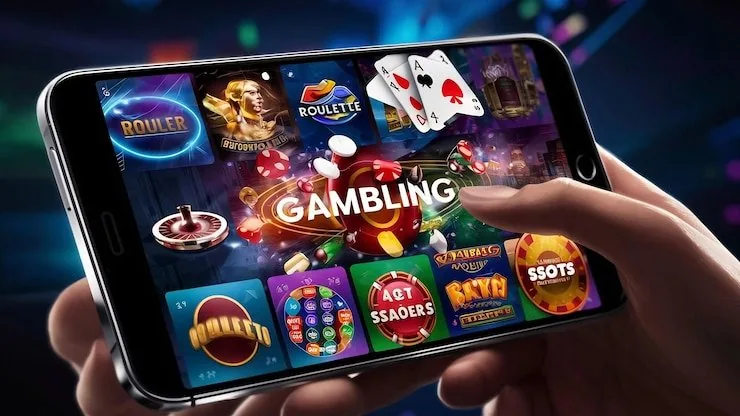
The ef99 app puts live casino tables, slots, and cricket betting on your phone — open your account and the full lobby loads in seconds, whether you are in Karachi or anywhere else in Pakistan where access is permitted under local law.

mobile browser accessaccount wallet on the goavailability checkdevice-ready lobbylocal law eligibility
ef99 ef99 App: Your Lobby on Every Device
ef99 Explore the ef99 App: Slots, Tables and Betslip

Explore the ef99 App: Slots, Tables and Betslip

Open the ef99 app and you land straight in the lobby — no extra clicks to reach Crash Ignition, Roulette Royale or the live baccarat rooms. The betslip sits in the same view, so switching from a slot session to a cricket betting market takes one tap. Push notifications let us flag when a new game room opens or when your account

wallet is updated after a deposit. Quick deposit via JazzCash or Easypaisa is built into the cashier screen, and fingerprint login keeps your account secure without typing a password every time you return.

APP FEATURE SNAPSHOT

Switch On: Key App Features at a Glance

These are the four features that make the ef99 app different from just opening a browser tab. Each one cuts down friction between you and the game you want to reach.

Biometric Login Set up fingerprint or face unlock once and your account opens in under two seconds every time. No password entry, no wait — straight to the lobby.
Push Alerts We send a push notification when your account balance updates after a deposit clears, or when a live table room you follow has an open seat.
Dark Mode Display Dark mode is on by default in the app. The lobby, game thumbnails and cashier screen all render cleanly in low light — no eye strain for late-night sessions.
Offline Lobby Preview A cached lobby view loads even on a slow connection so you can browse game thumbnails and read table rules before the live stream fully connects.
ef99 Mobile Access in 3 Simple Steps

Mobile Access in 3 Simple Steps

Getting the ef99 app running on your phone does not require hunting through an app store. The fastest path is the browser-based install, which works on both Android and iOS. Open the current ef99 address in your mobile browser — Chrome on Android and Safari on iOS both handle the install flow. Check that your browser is updated; an older version may

not render the live table streams or the betslip correctly. Once the site loads, follow the prompt to add it to your home screen: this creates an app icon that opens the lobby directly, with biometric login available from the next sign-in. If you do not see an install prompt, check whether an official native build is currently listed — that availability

changes and depends on your device and region.

  • Open ef99 — Visit the current ef99 address in your mobile browser. Chrome on Android and Safari on iOS are the two paths we support for the home-screen install.
  • Check Browser Compatibility — Make sure your browser is up to date. An older version can block the live stream loader or prevent the cashier screen from rendering the JazzCash and Easypaisa options.
  • Add to Home Screen — Tap the browser share or menu icon and choose 'Add to Home Screen'. The ef99 icon appears on your phone and opens the full lobby on the next tap.
  • Sign In Securely — Sign in with your account credentials. After the first login, enable biometric unlock in account settings so future sessions open with fingerprint or face ID.
DEVICE COMPATIBILITY CHECK

Check Your Device Before You Start

Not every combination of device, OS version and browser gives the same experience in the ef99 app. Run through this checklist to confirm your setup is ready before you sit down at a live table or start a crash game session.

01

Browser Access

Chrome (Android) and Safari (iOS) are the confirmed paths for the home-screen install. Other browsers may work but are not the tested baseline for live table streaming.

02

Screen Layout

The lobby reflows automatically for portrait and landscape. Live tables are designed for landscape; slot games and the betslip work well in portrait on most screen sizes.

03

Account Requirements

You need a verified ef99 account to access the deposit cashier and withdrawals. Account verification is done inside the app under your profile settings.

04

Currently Supported Devices

To check which devices are currently confirmed, open the Help section inside the app or contact support via the live chat channel — the list is updated as new devices are tested.

05

Regional Eligibility

Access to the ef99 app is subject to local law and is available only in eligible regions. If the lobby does not load, your region may not currently be supported.

ef99 App: Frequently Asked Questions

These are the questions we get asked most often about the ef99 app — from how to install it to what happens when you switch devices.

Availability of a native app-store build changes over time and depends on your region. Check ef99 directly or contact support to confirm what is currently offered for your device.

Open ef99 in Chrome, tap the three-dot menu, and choose 'Add to Home Screen'. The icon appears on your phone and opens the full lobby without going through a browser tab each time.

Yes. After your first sign-in, go to account settings and enable biometric unlock. From then on, fingerprint or face ID opens your account straight to the lobby.

The cashier screen inside the app lists the payment options available in your region. JazzCash and Easypaisa appear for supported Pakistan accounts; Raast is also shown where available.

The full lobby is available — including Crash Ignition, Roulette Royale, Football Betonsite and the cricket betting markets. The betslip and live table rooms load from the same home screen.

First check that your browser is updated and that your region is eligible under local law. If the issue continues, clear your browser cache or reach out via the in-app live chat for device-specific help.
Reference

ef99 App

Service availability depends on eligible regions and local law. Users should check local rules before opening an account.

Access may be available only where local law permits.